A daily self-care planner can be the small, steady tool that helps you support energy, mood, and focus without turning your day into a project. If you’ve tried to build better routines but fell off after a week, this guide will show you how to set up a flexible system you’ll actually use—one that adapts to busy schedules and low-energy days as easily as calm ones.
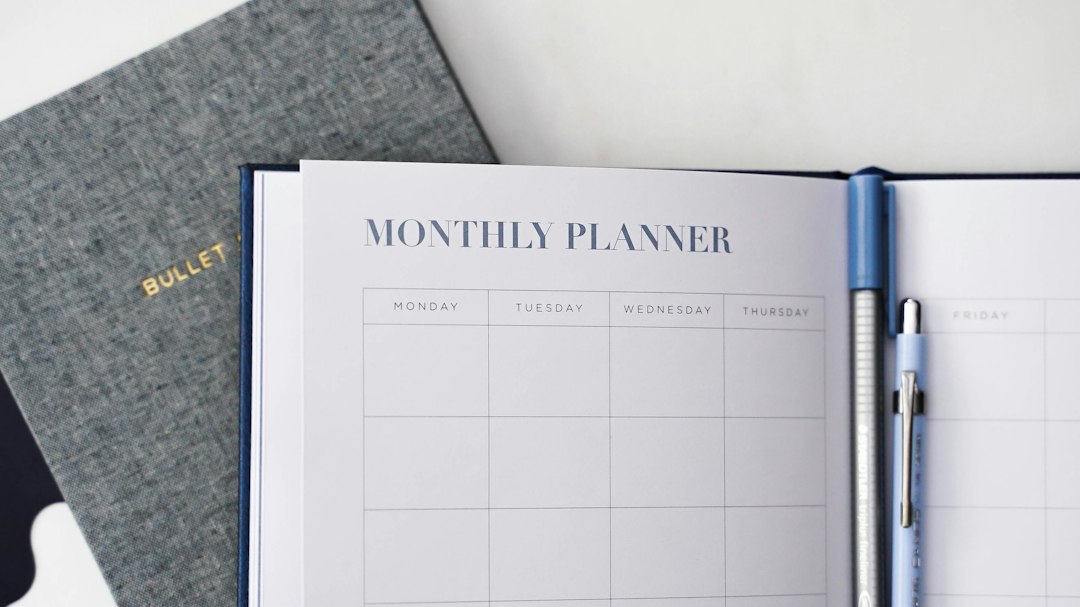
daily self-care planner: What this guide will help you do
Your time and attention are limited. This guide is designed to help you create a planner that takes one minute to fill, still works when life gets crowded, and grows at your pace. You’ll learn how to choose a format (paper, digital, or hybrid), define core components that truly support you, and build daily and weekly pages that are simple to use. You’ll also find templates, checklists for different kinds of days, habit-stacking ideas, and quick maintenance routines so the system stays helpful, not heavy. Think of this as a field manual: practical examples, clear decisions, small experiments, and lots of permission to keep things easy.
Notes on scope: this article shares general planning and lifestyle ideas. If you have personal questions about health or mental wellbeing, speak with a qualified professional who understands your context. The planner described here is about gentle daily support and awareness—not strict rules.
Daily self-care planner: build a system that fits your life
Most planners fail because they demand more energy than they give back. Your first goal is to build a page that pays for itself. The quickest way is to create a two-layer system: a Today page (dashboard) and a Week view (compass). Today holds your next few steps, Week carries your themes and guardrails. Start with the minimum viable setup and increase detail only when the page earns its spot.
- Pick a home: pocket notebook, printable sheet, notes app, or task app you already open every day.
- Create two views: Today (one small page) and Week (one or two pages). Resist adding a Month view until the first two are steady.
- Choose four anchors to start: Sleep, Water, Movement, Mind Care. Each should take seconds to log.
- Add a tiny reflection to Today: a single line titled “Noticed” or “Appreciated.”
- End your day with a 3–5 minute reset: write tomorrow’s top three supportive actions and one nice-to-have.
On day one, that’s enough. The point is not detailed data; it’s confidence and continuity. If the page takes longer than a minute to fill, it’s too heavy. Shrink it until it becomes easy to pick up again and again.
Choosing your format: paper, digital, or hybrid
The right format is the one you enjoy using in your real environment. Try the option that lowers friction where you live and work.
Paper (notebook or printable)
- Pros: tactile, calming, no alerts, no apps to open; sketch-friendly and quick to personalize.
- Cons: searching past notes takes longer; sharing pages across devices requires photos.
- Tips: keep a pen clipped to the notebook; test pocket sizes; tape a foldout Week view behind a Today page for easy flipping.
Digital (notes or task app)
- Pros: searchable, duplicable templates, easy reminders; fast copy-forward for recurring items.
- Cons: attention drift if you open other apps; screen fatigue.
- Tips: set a focus mode that only opens your planner; use a widget or pinned note to keep Today visible.
Hybrid (paper for capture, digital for archive)
- Pros: write by hand during the day, then photograph or copy key lines weekly to a digital archive; searchable patterns with tactile daily comfort.
- Cons: requires a tiny weekly habit to archive pages.
- Tips: schedule a Sunday “archive + skim” block; label photos by month and season.
If your phone tends to steal your morning, begin on paper for one month. If you travel often or switch devices, start digital with strong guardrails. If you like both, go hybrid—just keep one “active” Today page to avoid duplication.
Core components that actually support your day
Most useful planners include a few simple anchors. Keep each anchor fast to fill, and specific enough to guide a small decision tomorrow. You don’t need complex tracking; you need just enough to notice patterns and choose your next helpful step.
- Sleep: Write time in bed and a quick quality rating (1–5). Add one note like “late coffee,” “early light,” “window open,” or “noisy neighbors.” Patterns appear quickly when you keep notes short.
- Water: Draw four to eight small boxes you can shade across the day. The aim is steady sips, not hitting a perfect number.
- Nutrition: Jot a brief summary such as “leftovers bowl,” “takeout,” or “snack dinner,” and one note about energy or enjoyment. Keep it neutral—no judgment words.
- Movement: Note what you did and how it felt in 2–5 words: “10-min stretch, eased shoulders,” or “quick walk, refreshed.” Feeling + consistency beats volume.
- Mind care: Tiny practices you can do anywhere: three slow exhales, five quiet breaths, two pages of morning notes, or sunlight before screens.
- Connection: One nudge to text a friend, step into a shared space, or say hello to a neighbor. Supportive relationships help with motivation and perspective.
- Environment: Pick a micro-zone to tidy: one surface per day, a five-minute reset, or putting tomorrow’s things in one place.
- Reflection: One sentence: “Today I appreciated…” or “I noticed…” You’re training attention to catch helpful signals.
Keep what you use. If you skip a component for a week, it might be a candidate to hide or delete. Your planner is a companion, not a report card.
Intentions, menus, and backup plans
Rigid goals often crack under real-life pressure. Intentions are lighter: they name a direction and a first step rather than a final outcome. Pair them with menus—tiny option lists—so you can scale up or down depending on the day. Then add backup plans that help you pivot instead of stalling.
Intentions
- “Walk after lunch for ten minutes” instead of “exercise every day.”
- “Drink one glass of water after coffee” instead of “eight glasses.”
- “Put the phone in another room during wind-down” instead of “perfect sleep routine.”
Menus
- Movement menu: L = floor stretches; M = brisk walk; H = your favorite workout.
- Mind care menu: two pages of journaling; five quiet breaths; step outside for light.
- Food menu: base + color + protein + sauce; leftovers + greens; soup + toast.
Backup plans (if–then)
- If the afternoon runs long, then movement is a three-minute stretch video before you tidy the kitchen.
- If dinner is chaotic, then build a simple bowl: base + color + protein + sauce.
- If journaling slips, then write one line: “Right now I feel…”
Menus and backups keep momentum going without demanding perfection. They lower the energy barrier to action and help you return quickly when your day tilts.
Time and energy mapping
Right actions become easier when they’re matched to the right moments. Two lightweight tools help you place supportive habits where they’re most likely to happen.
- Time blocks: Pre-assign tiny windows (5–15 minutes) to anchors. Examples: morning light + water; mid-day movement; evening wind-down. Use a repeating label on your Week view.
- Energy map: For seven days, mark each hour with H (high), M (medium), or L (low). Use H for planning and movement that feels good, M for basics (email, light admin, simple cooking), and L for easy supports like slow breaths, a short walk, or sitting in sun by a window.
Put your blocks and energy notes into the Week view. If 2:30 p.m. is often low, schedule a water refill and a brief step outside. If mornings run hot, give your most valuable planning or movement to the first hour you control. Place habits where they are likeliest to stick, not where a generic schedule says they belong.
Habit stacking and friction design
Relying on willpower is costly. Good design makes the helpful choice the easy choice. Stack new actions onto existing anchors, then remove obstacles and add cues that make action almost automatic.
Stack ideas
- After brushing teeth, apply moisturizer and daily SPF appropriate for your context—it lives next to the sink.
- After making coffee, pour a glass of water and place it next to your keyboard.
- After opening your laptop, take two slow exhales before checking messages.
- After lunch, stand at a sunlit window or walk for three minutes.
Reduce friction
- Keep a small notebook and pen where you sit in the morning.
- Lay out comfortable shoes by the door.
- Use visual cues on your desk: water bottle, a Post-it titled “Today’s supports.”
- Charge your phone outside the bedroom if that helps you settle.
Environment beats motivation. Arrange your space so the next helpful step is the most obvious one in sight.
Templates you can copy today
You don’t need fancy layouts to start. The best pages are the ones you’ll fill consistently. Use these templates as a starting point, then rewrite labels in your own voice.
Template: Today (single page)
- Top three supportive actions
- Sleep: time in bed + quality rating + one note
- Water: 4–8 check boxes
- Movement: what you did + how it felt
- Mind care: one tiny practice (from your menu)
- Connection: one person or place
- Environment: five-minute tidy zone
- Reflection: “Noticed…” or “Appreciated…” (one line)
Template: Week (one or two pages)
- Theme of the week (e.g., “gentle mornings” or “less rush”)
- Focus anchors: pick 2–3 (sleep, water, movement, mind, connection, environment)
- Menus: list 3–5 tiny options under each focus
- Energy map sketch + time blocks
- Notes for rhythm shifts (deadlines, travel, visitors)
- End-of-week reflection (two prompts you’ll answer in five minutes)
Template: Month (single page)
- Reset plan: refresh, restock, or reorganize a few basics
- Seasonal shifts: light, weather, and routine changes to anticipate
- Experiments: pick two to try this month, but run one at a time
- Keep / Start / Pause list for routines
Keep templates lean. If you love details, place them in optional sections so the core page stays quick. A clean Today page is worth more than a dense one you dread filling.
Checklists for different kinds of days
Life isn’t steady. Having a few ready-to-go checklists removes decision fatigue and helps you keep a light touch on supportive habits across wildly different days.
Busy day (10-minute budget)
- One glass of water after coffee
- Three-minute stretch between meetings
- Step outside for light or sky view
- Protein-forward snack nearby
- Five-minute reset before bed: tomorrow’s top three supports
Travel day
- Pack a refillable bottle and a snack you like
- Movement snack at your gate or stop: calf raises, ankle circles, short walk
- Light exposure shortly after arrival to anchor your day
- Easy first dinner: base + color + protein
- Wind-down: slow breaths, a book, or a warm shower
Low-energy day
- Water within reach when you wake
- 10-minute nap or quiet rest
- Gentle movement: floor stretches, slow walk, or sunlight by a window
- Simple meal: soup, toast, or a favorite bowl
- Copy yesterday’s plan to reduce decisions
Creative day
- Longer morning block for deep work
- Mid-day walk with an audio note to catch ideas
- Afternoon tidy to reset your space
- Evening note on what you made and what helped
Social day
- Early light + water to start steady
- Simple breakfast that sits well
- 15-minute buffer before leaving or joining calls
- Two quiet minutes after to write “highlights + one line to remember”
Tracking without obsession
Tracking is useful when it changes a future decision; it’s unhelpful when it becomes performance theater. Collect the smallest amount of information that helps you adjust your menus, time blocks, or environment.
D.E.L.T.A. note method
- Did: the tiny action you completed
- Energy: H/M/L snapshot of the day
- Learned: one observation about what helped or got in the way
- Time: the blocks that worked today
- Appreciation: something small you’re grateful for
Simple visuals
- Dot grid: mark a dot for each day you complete a tiny action.
- Color bars: shade Today’s page border based on energy H/M/L.
- Arrows: draw an arrow next to actions that felt especially supportive.
Metrics to skip
- Anything you dread recording
- Anything that won’t change tomorrow’s decision
- Anything that invites judgment without offering insight
Once a week, skim your pages for five minutes. Circle patterns. Maybe water before noon links to steadier afternoons. Maybe morning light makes your evening wind-down easier. Use what you see to adjust menus and blocks—small tweaks compound.
Personalization for roles, seasons, and environments
Routines are personal. The planner becomes powerful when it reflects your role, the season, and the spaces you move through. Here are small tweaks that make pages feel custom without adding complexity.
By role
- Students: add a “focus warm-up” (two-minute plan + water) and a “study exit” (three lines of notes + stretch) to any study block.
- Shift workers: arrange the Today page by “hours from shift start” rather than clock time; add a light-cue note after each shift.
- Parents or caregivers: include a “shared energy” nudge: step outside together, turn on music, or read a short story out loud.
- Remote workers: create a “bookend” routine: morning light + one deep task; afternoon tidy + short walk.
By season
- Spring/Summer: earlier outdoor light, lighter meals, more evening walks, and a water reminder in the afternoon heat.
- Autumn/Winter: warmer wind-down, earlier screens-off, cozy movement like slow yoga or stretching, and a morning lamp if daylight is scarce.
By environment
- Home: keep your planner visible near your favorite chair; add a small basket for pens, sticky notes, and a highlighter.
- Office: store a small glass for water and a tote with walking shoes; use a desk cue card titled “Today’s supports.”
- On the go: carry a single index card or a small digital widget for Today; archive to photos weekly.
Personalization does not require overhaul. Tweak labels, rearrange sections, and swap components seasonally so your pages stay grounded in your context.
Maintenance that keeps pages useful
A planner is alive. It earns trust when you keep it light, tidy, and honest. Use quick resets to clean up drift and return to what works.
Weekly reset (10–20 minutes)
- Skim pages; circle what worked
- Refresh menus (swap one or two options per anchor)
- Note upcoming shifts (deadlines, guests, travel)
- Choose a simple theme for the next week
- Photograph pages if you archive digitally
Monthly reset (20–40 minutes)
- Declutter layouts that feel heavy
- Update movement ideas for weather and daylight
- Restock basics you use daily (notebook pages, favorite snacks, tea/coffee, pens)
- Pick one tiny experiment to run for two weeks
Seasonal reset (30–45 minutes)
- Rearrange routines for light and schedule changes
- Refresh skincare and wardrobe basics for the weather
- Revisit wind-down and morning cues
- Archive any pages you want searchable; retire what you don’t use
Common pitfalls and gentle fixes
- Overbuilding: too many trackers make the tool fragile. Fix: hide or delete one section for a week; if you don’t miss it, keep it gone.
- All-or-nothing thinking: missing two days feels like failure. Fix: celebrate “return days” and keep two-day mini-streaks.
- Decorating instead of using: the page looks good but sits closed. Fix: a five-minute timer to fill Today and one line of reflection.
- Overpromising: routines that only work on calm days. Fix: write Busy, Normal, and Low-energy versions and choose in the morning.
- Copying layouts that don’t fit: a beautiful spread that ignores your reality. Fix: keep one useful idea, discard the rest without apology.
Comparison factors: paper vs. digital vs. hybrid
Still undecided? Use this quick comparison to match formats to your habits and constraints. The “best” choice is the one you will touch daily.
- Attention management: Paper removes alerts and tabs; digital benefits from focus modes and widgets; hybrid uses paper for capture and digital for review.
- Portability: Pocket notebooks ride anywhere; digital follows across devices; hybrid adds a weekly archiving step.
- Searchability: Digital wins; paper wins if you photograph pages regularly; hybrid sits in the middle.
- Customization: Paper is infinitely flexible; digital templates copy fast; hybrid blends hand-drawn changes with digital templates.
- Durability: Paper ages gracefully; digital survives spills; hybrid spreads risk.
If you still can’t choose, test each format for one week. Keep the same core components and menus so the comparison is fair. At the end of week three, pick the one that felt easiest to touch on your busiest day.
Design patterns that make pages faster
A few small adjustments can make your planner feel smooth. Borrow the patterns below and keep what clicks.
- One-minute rule: If Today takes longer than a minute to fill, remove something.
- Left-to-right flow: Arrange anchors in the order you tend to do them: light + water on the left, movement in the middle, wind-down on the right.
- Icons and boxes: Use tiny icons (☀️ water droplet, shoe, book) or boxes for fast visual logging.
- Menu flyouts: Keep optional menus on a sticky note or a small flap so your main page stays uncluttered.
- Color code lightly: One highlighter color for each anchor can speed scanning without turning the page into a rainbow.
- Use repeatable labels: Short labels (“light, sip, move, note”) make copy-forward faster in digital and reduce cognitive load on paper.
Realistic examples for common scenarios
Here are three sample day pages mapped to different contexts. Use them as a sketch, not a script.
Example A: Desk-heavy workday
- Top three: water before noon; 10-min walk after lunch; tidy desk at 4:45
- Sleep: 11–6:30, 3/5, “late emails”
- Water: □ □ □ □ □ □
- Movement: 15-min stretch video, “upper back relief”
- Mind care: five breaths before inbox
- Connection: send a “thinking of you” text
- Environment: clear the working surface and recycle scraps
- Reflection: “Appreciated sunlight at 10 a.m.”
Example B: Caregiver day with errands
- Top three: water bottle filled; early dinner prep; music + shared stretch
- Sleep: 10–5:30, 4/5, “quiet night”
- Water: □ □ □ □
- Movement: stroller walk, “fresh air reset”
- Mind care: one-sentence journal at noon
- Connection: ask neighbor about weekend plan
- Environment: five-minute toy tidy
- Reflection: “Noticed patience at checkout”
Example C: Travel day with late check-in
- Top three: stretch at gate; light + water after landing; easy bowl for dinner
- Sleep: 12–6, 2/5, “early alarm”
- Water: □ □ □ □ □
- Movement: 12-min walk around terminal, “better mood”
- Mind care: two slow exhales during departure delay
- Connection: quick note to family with arrival time
- Environment: lay out clothes for morning
- Reflection: “Appreciated calm seatmate”
Quick troubleshooting when the page stops working
Every system drifts. When your planner collects dust, try one of these resets before assuming you need a brand-new method.
- Shrink to fit: Cut Today to three lines: “Supports,” “Movement,” “Noticed.” Use it for three days, then add one component back.
- Change the view: If you’re bored of digital, switch to a cheap notebook for a week. If your notebook feels stale, try a small digital widget or pinned note.
- Reframe the win: Define success as “I opened the planner and wrote one line.” Mark a dot for each day you do that. Momentum often follows.
- Adjust the time window: Fill Today the night before or right after breakfast. A small shift in timing can unlock continuity.
- Swap the anchor: If one component feels heavy (for example, nutrition notes), hide it for a week and add “one fruit or veg I enjoyed” instead.
Resources and internal link
You don’t need specialty tools. A pencil, a compact notebook, and a phone camera are enough to start. If you prefer digital, any notes app will do. For printables, layouts, and planning ideas you can adapt, browse our Form and Planning category for adaptable templates and examples.
Frequently asked questions
How many things should I track? Start with four anchors (sleep, water, movement, mind care). Add another only if it would help tomorrow’s decision.
What if I forget for a week? Turn the page and write Today. No backfilling. One minute is enough to restart.
How do I make it feel enjoyable? Use tools you like: a pen that glides, a notebook that opens flat, a calm color, or a digital theme that feels clean. Write in your own voice and keep the page visible.
Can a simple planner support focus? Often, yes. When energy, sleep rhythms, and basic needs get steady support, many people find it easier to access focus. The planner reminds you to fuel the system before you demand output.
Is archiving worth the time? If you enjoy pattern-spotting, yes. Take a quick photo of Today/Week pages on Sunday and drop them into a seasonal album. Skimming photos can spark useful adjustments.
Do I need a perfect morning routine? No. Pick one tiny morning cue (like water before screens or light by a window) and one tiny evening cue (like two quiet breaths). Build from there only if it stays easy.
A closing note
Routines aren’t about doing more—they’re about making room for what matters. A planner earns its place when it supports your day with kindness and simplicity. Build your daily self-care planner around your energy, your seasons, and your genuine constraints. If it helps you take one helpful step today, that’s a win worth keeping—and the kind of win that compounds.